

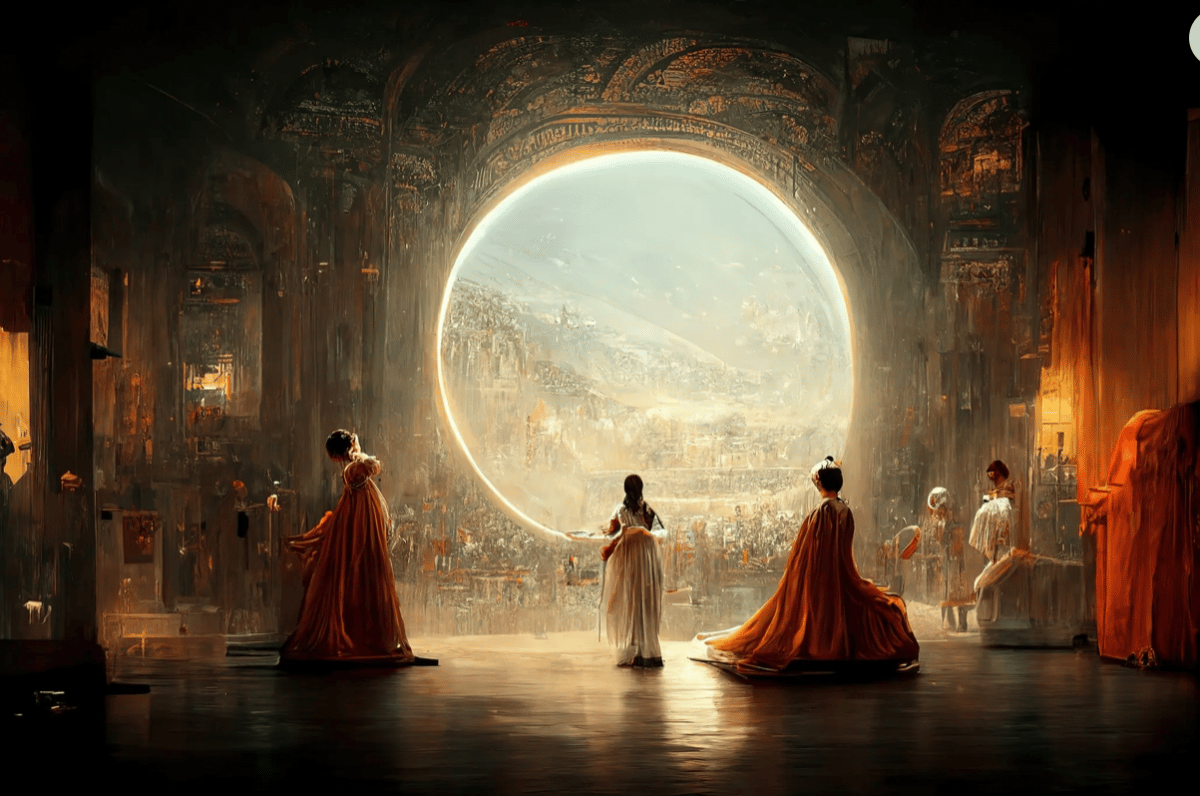
Jason Allen’s A.I.-generated work, “Théâtre D’opéra Spatial”
AI-generated NFTs are NFTs created using AI software. The user inputs the prompt, whether that is text or image, and the AI program creates an image or series of images. NFTs have had momentous growth in the past few years, and AI NFTs are the next big thing. The ability to generate new content using the data you input is very attractive, as it speeds up the process of NFT creation, and allows anyone to generate artwork.
Blossoming Cadaver: “As the bone whitens, the dead are revealed. A group awash in light who constantly play. A trip that has yet to end.” – Botto
Therefore, using AI art NFT generators, founders can create entire collections using only a keyword. Then, the algorithm will analyse existing artwork to churn out its own visual interpretation of the text. So, users can produce new pieces of abstract art based on the text, over and over again. Finally, this can be minted as an NFT, as you know that there is no other artwork like this in existence.
We tested many different AI art generators to find the best solutions for your NFT art. To give a fair comparison, we used the same prompt for each AI generator. The prompt was ‘A King spilling spaghetti on his feet’. We wanted to make it as weird as possible to test the capabilities of the art generators. Here are our top AI art generator picks!
Prompt: ‘A King spilling spaghetti on his feet’. Art generated by ‘NightCafe’. Styles output (L-R)- – ‘NightCafe’, ‘Artistic Portrait’, ‘Bon Voyage’.
Once your creation is ready, you go through to ‘view creation’. From there, you can choose to ‘evolve’ your creation, using the image you already have as a starting image and tweaking the setting (however, you will need to access the ‘Advanced’ settings for these features). If you want to start again, simply go to create a new image, choose a creation method. Options include Stable Diffusion, DALL·E 2, and ‘Coherent’ to name a few. Then, once again, enter your prompt and generate your artwork. There are over 25 styles to choose from, so you can create an incredible number of images from one just prompt.
NightCafe Pricing:
You need credits to create with NightCafe. The more credits you have, the more images you can create. There are five free credits per day, and you can also earn credits by taking part in the community. Additionally, you can buy credits. $100 credits cost $9.99 USD.
Licensing:
Once you have created an artwork with NightCafe, all intellectual property rights for that artwork are transferred to you. You may use the artwork for personal or commercial purposes. However, there is no guarantee that you can trademark or copyright that artwork.
Prompt: ‘A King spilling spaghetti on his feet’. Art generated by Artbreeder
An important feature of Artbreeder is that it has thousands of illustrations. You can remix these illustrations to create a new piece of artwork all together. Additionally, you can remix with your own image to create a collage of your work and an existing Artbreeder artwork.
Transforming a pink floral landscape to a dark room of mysterious people
Finally, Artbreeder empowers creativity by making it easier to explore art styles and collaboration techniques by harnessing the power of AI technology.
Artbreeder Pricing:
Artbreeder has many great feature for free. If you want access to the premium features, then a subscription to a paid plan is needed. This costs $8.99 per month.
Licensing:
Each artwork created on Artbreeder falls under the Creative Commons CCo license. Therefore, all images created are released into the public domain, and may be used by any person, for any purpose, with or without attribution. Therefore, you can create artwork and mint as an NFT, but anyone has access to that same image under the CCo license and could also mint that same artwork.
Prompt: ‘A King spilling spaghetti on his feet’. Art generated by DALL·E 2
The generated images vary in style, and so you have a great variance of images from one input. Even better, if you are looking for an image in a certain medium simple enter that in your prompt (i.e crayon drawing, line drawing, painting, etc).
DALL·E 2 can output artwork in specified mediums – such as ‘crayon’
Not only this, but DALL·E 2 also has additional features, such as the image-to-image generator. Using this feature, you can highlight a part of an image and have DALL·E 2 replace it with something else. Therefore, you can remove elements of an image whilst knowing that DALL·E 2 takes shadows, reflections, and textures into account. Furthermore, DALL·E 2 can expand upon an image to generate larger background, and even take one image and create different versions inspired by the original!
Using DALL·E 2 you can edit part of an image and replace it with something else
DALL·E 2 Pricing:
DALL·E 2 gives users free credits each month, with one request ( text prompt, an edit request, or a variation request) costing one credit. For the first month you will have 50 credits, and each month after, 15 credits. Credits do not roll over to the next month so you cannot stack them. However, you can buy extra credits, with 115 credits costing $15 USD.
Licensing:
As the user, you provide ‘input’ to the service in order to generate ‘output’. If you comply with all terms, you own all rights to input and output (the image). You must indicate that the content is AI-generated in a way no user could reasonably miss or misunderstand.
Prompt: ‘A King spilling spaghetti on his feet’. Art generated by StarryAI
As we can see, all of these images are unique but they are all in the same style. The styles input were ‘graphite pencil drawing, realistic, natural, b&w illustration, fine art, Takashi Murakami’. The resulting images would not look out of place as a small NFT collection.
StarryAI is both an online application and a mobile App. Therefore, you can generate images on the go. To begin, you have five free credits to work with, and do not have to connect your credit card to get started. you can create images with such accuracy and detail, and that is what makes StarryAI an excellent NFT art generator.
StarryAI Pricing:
To begin, you have five free credits to use on StarryAI. You can then earn credits by joining the StarryAI club, sharing your artwork on Twitter, Instagram, TikTok or Reddit, or by watching an Ad. Additionally, you can purchase StarryAI Pro to have a 50-credit pack monthly, costing $17.49 per month.
Licensing:
The area of AI-generated images and copyright is complex and will vary from jurisdiction to jurisdiction. Best to check the website T&Cs.
Prompt: ‘A King spilling spaghetti on his feet’. Art generated by Stable Diffusion
Depending on the prompt given, Stable Diffusion can create incredibly photo-realistic images. Furthermore, the license allows for commercial and non-commercial use of the tool at no cost.
Stability AI can create incredibly photo-realistic images
When using the demo versions it can take a while to retrieve your images. Also, the tool may throw up an ‘application too busy’ notice if the system is overloaded. So, if this is happening to you, come back and try again later – the results are with it.
Stable Diffusion Pricing:
Stable Diffusion is currently on in a ‘demo’ period and is completely free to use.
Licensing:
The area of AI-generated images and copyright is complex and will vary from jurisdiction to jurisdiction. Best to check the website T&Cs.
Midjourney allows you to create high-quality images using simple text prompts in the Discord chat app. Unlike some competitors, Midjourney requires payment before generating images. It employs large language and diffusion models, similar to AI chatbots like ChatGPT. The large language model helps understand the prompt and converts it into a numerical vector. The diffusion model uses random noise to create art by gradually learning to reverse the noise and generate new images through denoising. Diffusion models have gained popularity in the past decade, leading to the rise of AI image generators.
Midjourney V5.2 brings an upgraded aesthetic system with improved aesthetics, coherence, and diversity. Exciting new features and commands are introduced to enhance your creative journey. The stylize command now offers a more pronounced effect with a range from 0 to 1000. It is recommended to reduce the stylize value by up to 5 times, such as using a value of 200 in V5.2 instead of 1000 in V5/V5.1.
New Features
Pricing:
Now that we have outline the top tools to create incredible AI artwork, here are some AI artists you should know about. These artists are famous for their work created harnessing the power of AI. Take a look at their work and see the boundless possibilities of AI art!